Showing posts with label utils. Show all posts

Tuesday, May 11, 2010

How To Resize A VirtualBox VM In 3 Easy Steps

VirtualBox does not make resizing a VM easy. Luckily, I’ve collected the 3 necessary steps that you’ll need to resize your VDI files:

Step 1 – Create a New and Bigger VDI file

Use the VirtualBox ‘Virtual Media Manager’ GUI to create a new VDI file that is larger in size.

Step 2 – Use the ‘VBoxManage CloneHD’ Command

This command will copy the original to the New and larger VDI. Open a command window and call this command from the VirtualBox directory. Be sure you properly reference the correct files, for example, here the command I used:

C:\Program Files\Sun\VirtualBox>vboxmanage clonehd --existing e:\virtualbox\ORIGINAL.vdi C:\Users\Mehul\.VirtualBox\HardDisks\NEW_BIGGER.vdi

Sun VirtualBox Command Line Management Interface Version 3.1.8

(C) 2005-2010 Sun Microsystems, Inc. All rights reserved.

0%...10%...20%...30%...40%...50%...60%...70%...80%...90%...100%

Clone hard disk created in format 'VDI'. UUID: 7099c645-15c2-4656-bf90-27a444444444444

Step 2 (optional) – Call ‘setvdiuuid’ in case of an issue

Try to start your VM now that points to the NEW_BIGGER.vdi file. If you get an unusual error like this one:

Cannot register the hard disk ‘PATH’ with UUID {id goes here} because a hard disk ‘PATH2’ with UUID {same id goes here} already exists in the media registry (‘PATH to XML file’).

Then use the following command on your NEW_BIGGER.vdi:

C:\Users\Mehul\.VirtualBox\HardDisks>"c:\Program Files\Sun\VirtualBox\VBoxManage.exe"
internalcommands setvdiuuid MHDXDT1_Laptop.vdi


Sun VirtualBox Command Line Management Interface Version 3.1.8
(C) 2005-2010 Sun Microsystems, Inc. All rights reserved.

UUID changed to: d4c86bf9-3739-4894-9fee-0ec8342432a

Take note that I ran that command from the directory location of the NEW_BIGGER.vdi file. For a good explanation of this command, check out this post.

Step 3 – Resize the local drive in the VM

Your NEW_BIGGER.vdi is larger than before. However, as a final step, you need to increase the local drive in the VM. Windows 7 makes it easy with the disk management.

  • From control panel, bring up ‘Disk Management’.
  • Right click on your local C: drive (Disk 0 usually)
  • Select ‘Extend Volume’

The process is pretty easy to figure out. If you need more info and images then check out this post for a more detail.

And that’s it! You’re done. You now have a bigger drive.

Easy, wasn’t it?

Thanks to this post for majority of the initial guidance.

Thursday, March 25, 2010

AutoHotKey – Easily Create An HTML Link

I’m huge fan of AutoHotKey which saves me a ton of time in not having to type repetitive keystrokes. Basically, it helps me be a better keyboard ninja.

Often for blog posts, I need to encapsulate a link with a HTML <a> anchor tag. So that http://Mehul.net becomes <a href=”http://Mehul.net” target=”blank”>http://Mehul.net</a>

So I’ve hacked up the following AutoHotKey script which allows you to highlight a link and press Control+Shift+L and it automagically converts into an HTML <a> anchor tag.

Copy this script into a autohotkey script. Load the script. Select an HTML link and press Control+Shift+L.


;-------------------------------------------------------------
; Create A Link -- Ctrl+Shift+L
;-------------------------------------------------------------

^+l::
{
Send, ^c
Sleep 50
var=% "<a href=""" . clipboard . """ target=""_blank"">" . clipboard . "</a>"
clipboard=% var
Send, ^v
Return
}

To learn more about AutoHotKey, check out these LifeHacker posts:

Turn Any Action into a Keyboard Shortcut

Hack Attack: Knock down repetitive email with AutoHotKey

Monday, March 22, 2010

Improve iPhone Safari Readability

I like to catch up on my blog reading using my iPhone. However, many sites don’t have a mobile version that formats the page for a smaller device.

Instatpaper to the resuce!

Instapaper.com is known for allowing you to bookmark a web page and ‘Read It Later’ using either their website or iPhone app. What’s also great is they format the bookmarked web page so that it is readable on mobile devices. They also offer their ‘mobilizer engine’ to use as a separate service:

If you go to this site on your mobile browser: http://instapaper.com/m 

Then Enter a url of blog you like to read: For example: http://community.devexpress.com/blogs/aspnet/default.aspx

Hit Go and watch as all the formatting is removed and you see big text that only scrolls vertically. Beautiful and perfect for mobile browsers.

I’ve taken it a step further by creating a bookmarklet that will automatically call the ‘Instapaper mobilizer’ site for you when you’re reading a blog on your mobile browser. Here’s the steps to add it to an iPhone:

  1. From Safari, add a new bookmark and call it something like ‘Instapaper Mobilizer’.
  2. Edit the Bookmark you just added.
  3.    Replace the url with the JavaScript code in this box.
  4. Now, while reading a blog, open the bookmark you just added.

And that’s it. Enjoy.

Tuesday, May 06, 2008

RoboForm is very good

I remember the first time I heard of this tool was many years ago when I was still skeptical of browser plugins. Especially ones that kept my passwords. So I've used password safe for many years now. But there is no browser integration which makes things a headache to open pwsafe and manually enter those details. This is where RoboForm shines. It does a great job to manage my passwords and also to show me only those that pertain to the website. For example, I have several gmail accounts and RoboForm shows me only these when I'm on the gmail login page. Brilliant. Then I select the account I want to login with and presto, I'm logged in.

So, I recommend you give RoboForm a try. I don't have any qualms about its integration or password storing as its been around a while and gotten many other good reviews as well.

The only issue I have is that in IE8 Beta, the popup doesn't work. However, it works great in Firefox and this is probably an IE8 beta issue.

Friday, April 18, 2008

Sync your Facebook contacts with Outlook & Windows Mobile

Just tried this and the outlook integration is pretty cool. I don't have a windows mobile phone but I'll try to see if it works with the Treo. In my case the app did crash but it does work in importing the pics to outlook. Check out the demo from the developer here:


Sync your Facebook contacts with Outlook (and Windows Mobile)

Sunday, March 30, 2008

Jott's Web 2.0 Sites Integration

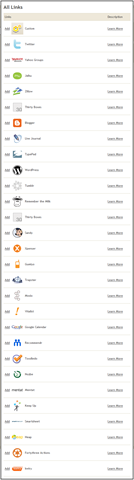
I started using Jott.com this week and it's useful. I tried it November 07 but the transcription service wasn't that great and I didn't get my email very quickly. Seems they've worked the bugs and it's worth checking out again. As I setup more contacts, I noticed that I could even twitter from my cell phone now. That's cool. They also have a ton of other sites integrated like blogger, Xpenser, and bunch more which I've never heard of. Here's the full list:

image

Thursday, December 20, 2007

SmugMug Picasa Uploader

Finally someone has created the plugin I've been thinking about making for almost a year now. You can now upload to smugmug.com directly from Google Picasa.

Great plugin, thanks meejer.com!

SmugMug Picasa Uploader


Update [03-23-08]: It looks like this is the new uploader or at least this one works:

New Uploader

Friday, April 06, 2007

Windows Live Writer Beta

This little windows app lets you create your blog entries in a nice little editor on the desktop rather in the browser.

I'm writing from the app now and I have to say its pretty cool.

I used it for another blog on a long message and it did great.

 You can download it here.

Wednesday, February 14, 2007

ClipX rocks

Arsclip is out. Unfortunately the vista issues with that app just made me look for something more stable.

ClipX is that answer.

I found it thru Travis Illig's blog which saved me the trouble of trying out a bunch of apps. So thx Travis.

Another Review.

Anyways, so far so good.

Tuesday, February 13, 2007

Free image hosting

This is a nice site for those times you need to post an image to ebay or craigslist.

Beware what you upload because the site and images are public and kept indefinetly according to the FAQ.

freeimagehosting.net

Tuesday, January 23, 2007

Private Folder

I haven't tried this but it looks it might be interesting if I need to ever share my laptop.

Microsoft Private Folder 1.0

Friday, January 05, 2007

Redoxx AirBoss

Well, in a swift (and maybe foolish) click, I bought the Airboss.

You see I'll be doing lots of travel this year and I love the concept of traveling light: OneBag.com

Well after my own travels, I've learned a good bag can be key. So I'm going to give this one a try:

AirBoss

Juding from it popularity with the traveling crowd, it should be pretty good. Price, however, is not on budget side.

Wednesday, January 03, 2007

Paypal Virtual Cards, Amazon and Roomba

This is a great idea that I've reading about but haven't used until today:

Paypal Virtual Debit Cards FAQ

Basically, its a Mastercard that is good for 1 day with $150.00 spending limit on your paypal account. Great!

So I thought I would try it on a Roomba that I've been eyeing:

Roomba

Unfortunately, its not so obvious where in paypal you might click to get to so check out this post. It contains a link there to point you to the specific place for the virtual cards whether they are paypal approved or not.

Buy with Paypal Virtual Cards

Saturday, December 30, 2006

Discovery Deconstruction

Pretty informative show on house construction. Well, at least it was for me. The host is a little goofy but its pretty good overall.

Discovery Deconstruction

5 good phone tips free

Five fantastic free phone tricks

Pikipimp fun

Upload a photo and have some fun:

Pikipimp

Zyb, almost...

I just got a Treo650 and I'm trying to find how get the contacts from my Sanyo 2300 to the treo. I stumble onto Zyb, which seems perfect except it doesn't support Sanyo. Arrgh.

I know I could get the usb cable for the sanyo but the sanyo is one foot out the door.

Zyb

UPDATE: Zyb, didn't work for me. Found www.mobical.net but doesn't look like that will work either. Sprint has a paid service: wirelessbackup.sprint.com but I can't login for some reason, probably my phone is not supported.

digg and Microsoft rock!

You maybe saying Duh, of course Digg rocks. But I used it to search for a free web host. I have this site that I help my brother-in-law host. There isn't much traffic and it never gets updated. So I thought it was a waste of money paying to host it. Well Microsoft came with the perfect solution for me. After searching google and giving up, I searched digg for free web host and presto:

MS Office Live Free offer

That is the digg link and you will have to register but you get a domain name and free hosting from MS. Wow! Thats awesome. Anyways, the online editor may not be for everyone but I was up and running in less than an hour.

They do ask you for creditcard info but that is to verify you are not some spammer or something. Not sure but its worth it, for free ;-)

Friday, December 29, 2006

Vmail to Email

I gotta remember to try this. It seems very interesting. Getting your voicemail as email and its free.

Callwave

Utils I use often

I've come to realize that I have been using some tools that at one time helped me solve a problem. What I didn't do was see if there was a better solution entirely. Probably because that takes too much time and/or thought. Or probably because I tend to get distracted by the effort. I find several solutions and I'll trouble picking one. Anyways, I'll do various versions of this post where I'll document the various tools that I use.

This tool is handy to checking various accounts and deleting spam from them before you open it in your inbox.
ePrompter

Clipboard manager tool. I know there are others but this one has worked well for me. Works in Vista too.
ArsClip

Unfortunately this doesn't work in Vista yet and I do miss it. Hopefully the devs will release a vista version soon:
StrokeIt